


Total Wine & More
4.69.73K Reviews
App Specs
- Version
- 10.6.1
- Updated On
- License
- Free
- Downloads
- 1,000,000+
- Developer
- Total Wine & More
- Categories
- Food & Drink
- Platform
- Android, iOS
Screenshots
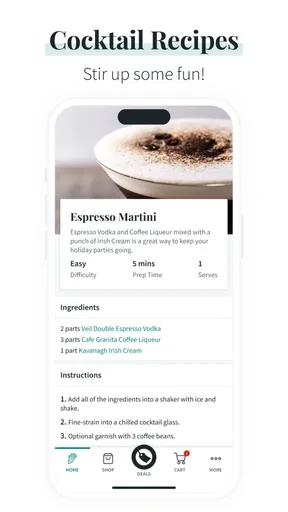
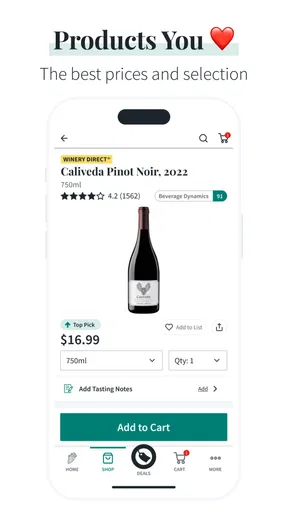
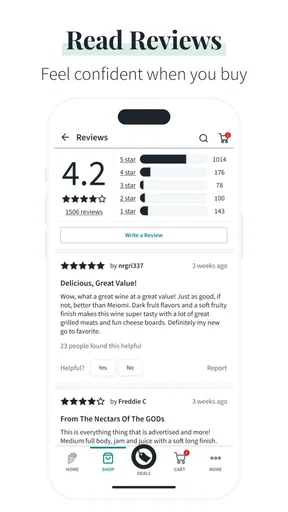
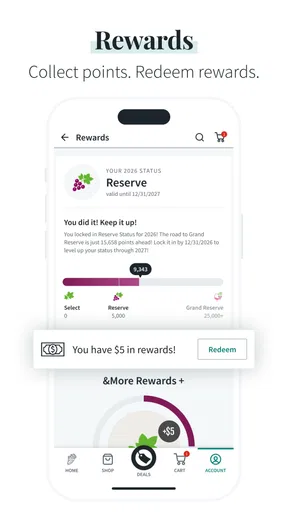
 Analysis by AppCompare
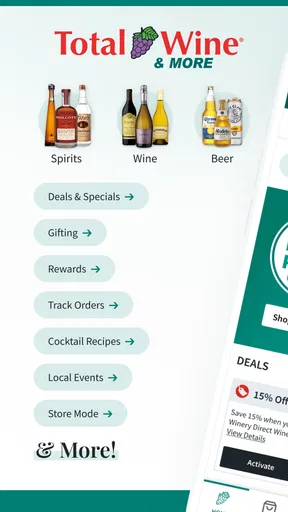
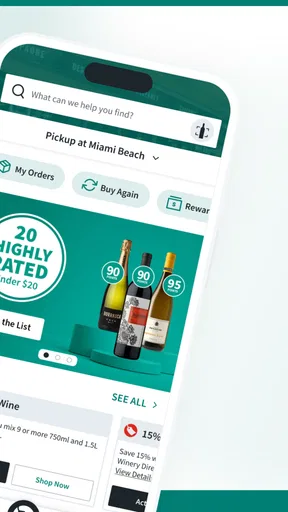
When I’m choosing drinks for a meal or gathering, the hard part is often not getting to a store; it is turning a broad selection into a sensible choice. I use shopping apps when they remove a small but annoying obstacle from an ordinary errand, and Total Wine & More fits that purpose best when I am deciding what to buy before I reach the store. It is a free Food & Drink app from Total Wine & More, built around browsing wines, spirits, beers, and other drinks rather than trying to replace the full in-store experience. My overall impression is positive: it is useful for narrowing a large selection, checking options while moving around, and preparing a purchase without carrying a notebook or relying on memory.
The app has also had time to mature. It was released in January 2018, and the current version is 10.6.1. It supports Android 7.0 and later, so people using older but still functional Android phones may be able to install it. Its average rating is 4.6 from around 22 thousand ratings, with roughly 9.7 thousand written reviews and more than a million installs. Those figures suggest a well-established shopping tool, although popularity alone does not guarantee that every store visit will feel smooth.
How connectivity changes the shopping experience
I find connectivity matters most when a shopping decision has several moving parts: a shortlist, another person’s preferences, and the final check at the store. I try to do the broad browsing before I leave, then use mobile access only for a specific question, which keeps the phone from becoming the whole shopping plan. That preparation also makes the next handoff clearer: I can share a few considered options instead of asking someone else to sort through an open-ended selection.
Browsing is most useful when the connection is steady
The strongest part of this app is the way it can turn a broad drinks selection into something easier to explore. When I have a particular style, bottle type, or occasion in mind, looking through the app is more comfortable than walking every aisle without a plan. A reliable connection matters because the experience depends on loading current product information and moving between screens. On a good network, that makes the app feel like a preparation tool rather than a digital brochure.
I would open it before leaving home when I need a bottle for dinner, a gift, or a small gathering. That early step is valuable because it gives me time to compare possibilities without the pressure of standing in a busy store. I can also use the app to form a short list instead of trying to remember several names while shopping. The most practical habit is to research while comfortable, then use the phone in the store only for confirmation.
That distinction is important. A shopping app can be helpful without being a complete substitute for speaking with store staff or seeing a product in person. Labels, packaging, available sizes, and shelf placement can still influence a decision. I see the app as a way to reduce uncertainty before the visit, not as a promise that every part of the purchase will happen inside the phone.
A realistic mobile shopping routine
Imagine that I am invited to a dinner and want something suitable without spending too long choosing. At home, I can browse the selection and make a few candidates. On the way to the store, I can revisit that shortlist rather than starting from nothing. Once inside, I can check the app when I need to verify a product name or compare nearby alternatives. This workflow is more useful than endlessly scrolling because each stage has a different job: planning at home, orienting myself while travelling, and confirming details at the shelf.
Worth Reading Before You Choose

EA SPORTS FC Mobile 26 Is a Bigger Football Game, but It Takes Time

Flipboard Shows What News Apps Must Do Beyond the Feed

Switching to Android Auto Means Rethinking Your Driving Routine

Google Calendar Makes a Crowded Week Easier to Manage

Ludo King Makes the Most of the Minutes Between Plans

Baby Panda World Brings Quick Play to Modern Phones, but Its Game Library Feels Busy
For a more involved occasion, I would separate the shopping question into parts before browsing. If I am bringing a drink to dinner, for example, I can first decide whether I need something for the meal itself or a host gift, then narrow the search to that purpose. This prevents a common trap in a large catalogue: finding several appealing options without answering the original question. If another person is choosing food or setting a budget, I would settle those details before I start comparing bottles, so the eventual handoff is a useful shortlist rather than a stream of screenshots and half-remembered names.
Connectivity changes the quality of each stage. At home, a stable Wi-Fi connection makes exploratory browsing easy. On mobile data, the app is more dependent on signal strength and the surrounding environment. In a large shop, a basement-like area, or a crowded location, pages may take longer to load just when I want an answer quickly. I therefore avoid making the app my only source of information during the final purchase decision.
For a quick repeat purchase, the app may feel unnecessary. If I already know exactly what I want and can find it immediately, a normal store visit is faster. Its value rises when I am comparing categories, planning for several people, or trying to avoid an unfocused walk through a large selection.
What happens when the connection becomes unreliable
The main friction is not the idea of the app but the dependence on live access. If a screen is slow to load, I may lose the rhythm of browsing and return to the physical shelves. That is especially inconvenient when I am already carrying a basket or trying to make a decision in a narrow aisle. A delayed response can turn a helpful reference into another task competing for my attention.
My workaround is simple: I do the discovery work before travelling and keep a short mental or written note of the choices that matter. I do not assume that a page I viewed earlier will remain available in exactly the same way when I am standing in the store. This is not a criticism of the app alone; it is a reminder that connected shopping tools are most dependable when used with a little preparation.
If the app stops responding, I would first check whether other phone services are also struggling. If the problem appears limited to the app, closing and reopening it is a reasonable first step, followed by trying again when the connection improves. I would not repeatedly refresh while walking around, because that wastes time and battery without improving the purchase decision. For an urgent item, asking an employee or using the store’s physical organization is the better recovery plan.
That recovery mindset also helps avoid a common mistake: treating a loading problem as evidence that a product is unavailable. A failed screen may simply reflect a weak connection or a temporary interruption. I would verify availability through the store itself rather than making a second trip based only on an incomplete mobile result.
Using it without wasting mobile data
People who have limited mobile data should use the app selectively. The most efficient pattern is to browse broadly on Wi-Fi, identify a small group of options, and reserve mobile access for targeted checks. Searching for one product or revisiting a short list is likely to be more sensible than repeatedly opening every category while travelling. I also avoid leaving the app open unnecessarily when I am not actively comparing anything.
This approach improves more than data usage. It reduces the number of decisions I make in a noisy environment and helps me notice when I am browsing without a clear purpose. For a planned meal, I might decide in advance whether I am looking for a particular type of drink, a gift, or a general option within a category. The app then supports that goal instead of encouraging an endless catalogue tour.
There is another useful trade-off here. A larger selection can be an advantage, but it can also create choice fatigue. I find the app most effective when I set a boundary before opening it: a short time for research, a few candidates, and a clear reason for choosing among them. That makes the connected experience feel controlled rather than overwhelming.
Where the app fits beside ordinary alternatives
Compared with simply walking into a Total Wine & More location, the app gives me more time to think and makes advance planning easier. Compared with a general web search, it is more focused on the retailer’s own drinks selection and is therefore more relevant when I already intend to shop there. Compared with asking staff immediately, it gives me privacy and lets me explore at my own pace, but it cannot provide the same personal conversation or context-sensitive recommendation.
That distinction matters when I am unsure what I like. Browsing can help me identify a category or a few candidates, but a staff conversation may be the better first step if I want advice tailored to a particular meal, taste, or spending limit. Conversely, if I already have a clear direction and simply want to explore the retailer’s range before visiting, the app offers a more focused starting point than a general search. Someone comparing stock across several retailers may prefer a broader shopping method rather than treating this retailer-specific tool as a universal catalogue.
I would choose the app when I want to prepare, compare, or return to a product idea later. I would skip it when I am already in a hurry, have no dependable connection, or need advice based on a very specific taste and budget. In those situations, a staff member may be more efficient than navigating several screens. Someone who shops across many retailers may also prefer a broader comparison method, since this app is most naturally useful within the Total Wine & More shopping journey.
The mature user base is reassuring, but I still judge the app by the task in front of me. A 4.6 average and more than a million installs indicate that many people find it worthwhile, yet the right question is whether it matches my shopping style. The app is not necessary for every purchase, and installing it will not automatically make a rushed visit easier. Its benefit comes from using it at the right point in the process.
Who should use it, and who should pass?
I recommend it to people who like to research drinks before shopping, want to explore a wide selection, or often arrive at the store with only a vague idea of what they need. It is also useful for anyone who prefers making a shortlist privately rather than asking for help immediately. Because it is free, trying it carries little financial risk, although the practical value depends on whether Total Wine & More is part of the person’s normal shopping routine.
It can also suit a shopper coordinating a small get-together. I would use it to settle on a few possibilities before messaging the host or the person handling food, then make the final decision once I know what the occasion calls for. That workflow avoids asking someone else to choose from an enormous range without context. It is a modest use, but it shows where the app helps: organizing an early decision, not deciding everyone’s preferences for them.
I would be less enthusiastic for someone who expects a fully self-contained offline catalogue or who needs the app to work as a guaranteed replacement for store assistance. The connectivity emphasis makes a difference: if I know I will be shopping somewhere with unreliable reception, I prepare earlier and keep expectations modest. People who dislike browsing large catalogues may also find the selection more distracting than helpful unless they begin with a clear category or occasion.
The content rating is Mature 17+, so it is intended for an adult audience. That fits the subject matter, since the app concerns alcoholic beverages. Parents should not treat its presence on a shared device as a child-oriented food app, even though the interface is used for ordinary shopping.
My final view on connected convenience
Total Wine & More works best as a connected planning companion. I like it because it gives me a calmer way to explore drinks before entering the store, and because it can remain useful for focused checks during a visit. Its biggest weakness is equally clear: when the network is slow or unavailable, the experience becomes less dependable at the exact moment I may want quick confirmation.
My advice is to use Wi-Fi for discovery, keep the final shortlist small, and treat the physical store and its staff as part of the same process rather than as backup options. That workflow makes the app more reliable without assuming capabilities it may not provide. For planned shopping, it is a worthwhile free download; for rushed or connection-poor trips, it is optional rather than essential.
Overall, I would recommend Total Wine & More to adult shoppers who want help organizing a large drinks selection and are comfortable with a network-dependent experience. It does not eliminate every inconvenience, and it cannot replace personal advice in every situation, but it can make preparation noticeably easier. For me, that focused role is enough to make Total Wine & More a useful addition to a thoughtful store visit rather than just another app taking up space on my phone.
Pros
- Wide selection of wine
- beer
- spirits
- and mixers in one app.
- Store locator helps users find nearby locations quickly.
- Product pages make it easy to compare brands and bottle sizes.
- Pickup and delivery options add convenience for larger purchases.
- Useful for discovering new drinks through ratings and recommendations.
Cons
- Alcohol delivery and pickup availability varies by location.
- Age verification is required before completing eligible purchases.
- Some popular products may sell out or show limited local stock.
- Delivery fees and minimum order requirements can increase the final cost.
- The app is less useful in areas without a nearby Total Wine store.
FAQs for Total Wine & More
What is the Total Wine & More app used for?
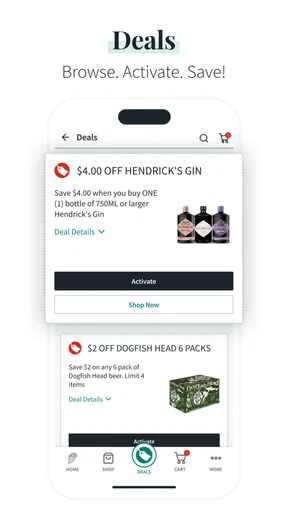
The Total Wine & More app is designed to make shopping for wine, beer, spirits, and related products more convenient. After installing it, users can browse the store’s catalog, check product details, view prices and availability, search for nearby locations, and explore promotions. Depending on the selected area, the app may also support pickup, delivery, or shipping options, although available services can vary by local laws and store policies.
Can I order alcohol for delivery or pickup through the app?
In many locations, the app allows customers to place orders for store pickup or alcohol delivery, but the available options depend on your state, city, and the inventory of the selected store. Delivery addresses must meet local legal requirements, and an adult of legal drinking age will generally need to provide valid identification when receiving an order. Always review the final fees, estimated time, and service restrictions before confirming.
Does the Total Wine & More app show accurate product prices and inventory?
The app provides useful information about product pricing and availability, but inventory can change quickly, especially for limited releases, popular spirits, seasonal items, and sale products. The information shown is usually connected to a selected store or fulfillment location, so changing stores may change both the price and availability. It is a good idea to confirm the item is reserved or call the store before making a special trip.
Do I need an account to use Total Wine & More?
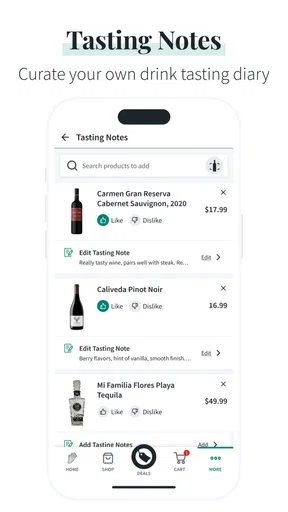
You can generally use the app to browse products, store locations, categories, and educational content without immediately creating an account. However, an account may be required or strongly recommended for placing orders, saving favorite products, viewing order history, managing addresses, and receiving personalized offers. Users should also be prepared to enter age-related information and comply with verification requirements before purchasing alcoholic beverages.
Is the Total Wine & More app available everywhere, and are all features the same?
The app may be available to customers in supported regions, but its features are not necessarily identical across every location. Alcohol sales, delivery, shipping, pickup, promotions, and product availability are affected by state and local regulations, store inventory, and service coverage. Before downloading or relying on a specific feature, check whether your nearby Total Wine & More store is supported and review the terms shown in the app.


